Crop a PDF: you are moving the window, not cutting the page
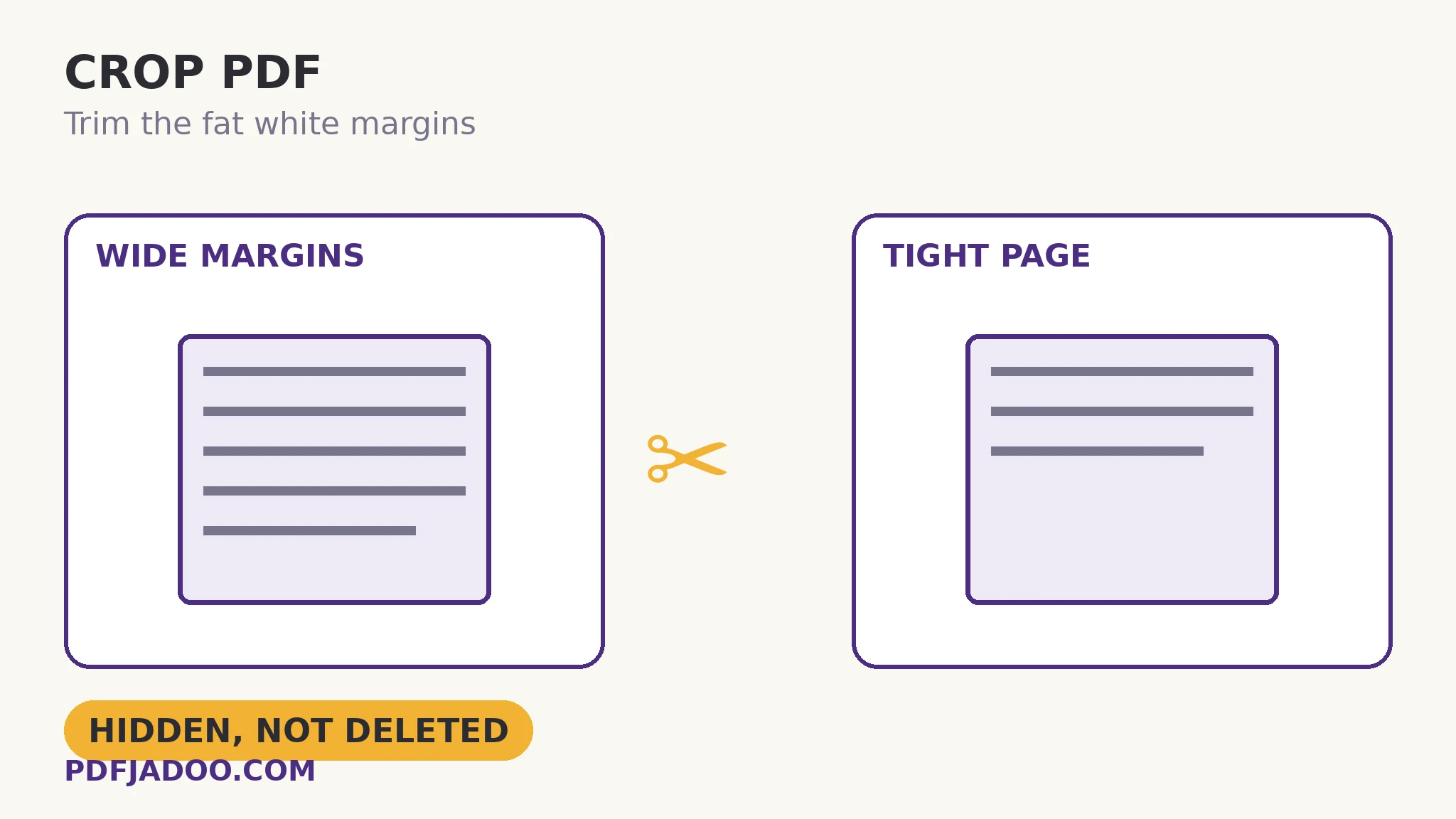
Fat white margins waste screen and paper: the scanned book page that is 60% border, the slide exported with a frame of nothing, the form floating in a sea of white. Crop PDF trims them — drag the gold crop box on the page preview to exactly what stays, or type exact trims per edge in points (72 to an inch) or percent. But a PDF crop has a subtlety worth knowing before you rely on it: cropping sets the page's visible box. Content outside is hidden, not deleted — and your original file is untouched either way. For margins, that subtlety is harmless. For redaction, it would be a disaster — and this article keeps the two apart.
 By the PDFJadoo Team6 min read
Boxes within boxes: how a PDF page is framed
A PDF page is defined by nested boxes: the media box (the full sheet the content was composed on), the crop box (what viewers show and printers print), and others for professional print. Everyday viewing follows the crop box. Cropping a PDF therefore means shrinking that box: the page's content stream is not edited at all — the window onto it narrows. Three consequences follow, all useful to know.
It is instant and lossless. No re-rendering, no recompression — like the rotation flag, a crop is geometry, not artwork. It is uniform. The trim you set applies to every page the same way, which is exactly right for its purpose: a book scanned with consistent borders, a slide deck with a consistent frame. And it is not destruction. The hidden content still exists in the file — a later crop adjustment can reveal it again, and anyone with the file can, in principle, look outside the box. Which is why the standing rule of this craft is absolute: never use cropping to hide sensitive content. Redaction is a different operation with a different tool (Redact PDF removes content); a crop is a curtain, not a shredder.
Two ways to set the trim
The dragged box is for the eye: pull the gold box's corners and edges on the preview until the content sits tight — the trim numbers follow your box as you draw. The typed trims are for precision and repetition: top, bottom, left and right, each in points or as a percent of the page — the way to match a publisher's spec, or to reproduce yesterday's crop on today's file exactly. The two stay in sync, so you can rough in by eye and finish by number.
Crop a PDF, step by step
Step 1 — drop the PDF onto Crop PDF. The first page previews with the gold box. Nothing uploads.
Step 2 — draw or type the crop. Drag the box tight around the content, or enter trims per edge in points (72 = 1 inch) or percent.
Step 3 — think about the other pages. The same crop applies throughout: check a middle page and the last page in preview terms — a book whose margins wander may want a slightly gentler crop that suits every page, not a perfect one that clips page 90.
Step 4 — press Crop my PDF and download. Your original file is untouched on your device; the cropped copy is new.
What cropping is for — the honest list
Reading comfort (margins gone, text larger on small screens), print economy (content fits the paper it will actually meet), slide and figure extraction (the window is the figure), and archive tidiness. What it is not for: hiding, shrinking file size materially (hidden content still weighs what it weighed), or fixing a page whose content is genuinely the wrong size — that is resizing pages, the neighbouring geometry tool.
Trim the window to the content.
Drag the gold box or type exact trims — every page comes back tight and tidy, original untouched.
Open Crop PDFA worked example: the scanned textbook
A scanned textbook's pages are 40% border — the scanner bed was larger than the book. On a phone, the text renders tiny inside its white frame. A crop drawn once — box tight to the text block, verified against an early page, a middle page with a wide figure, and the final page — applies to all 300 pages uniformly, because the scanner's geometry never changed. Reading size on the phone roughly doubles. The file size barely moves, exactly as the hidden-not-deleted rule predicts — and nobody cares, because the goal was never size; it was the window. Judge a crop by the window, and it never disappoints.
Edge cases
Pages of genuinely different sizes. Percent trims scale per page; point trims do not. For mixed-size files, percent is usually the safer unit.
The figure at the page edge. A chart that bleeds to the margin on some pages is the classic crop casualty. The gentlest crop that serves the majority, checked against the widest page, is the craft answer.
“I cropped it but the file still contains…” — yes: hidden, not deleted, by design. For removal, redact; for size, the content must actually go (delete pages, compress images), not hide.
Before you finish: the 60-second check
- The crop was checked against an early, middle and final page — not just page one
- Unit chosen for the file: points for precision, percent for mixed page sizes
- Nobody is relying on the crop to hide sensitive content — that is redaction's job
- The original file is kept; the crop produced a new copy
- Edge-bleeding figures were checked before the trim was finalised
Fair questions
How do I crop a PDF for free?
Drop the PDF onto Crop PDF, drag the gold box on the preview to what should stay — or type exact trims per edge in points or percent — and press Crop my PDF. It runs in your browser; the original file is untouched.
Does cropping a PDF delete the content outside the crop?
No. Cropping sets the page's visible box — content outside is hidden, not deleted, and can be revealed by adjusting the crop later. Never use a crop to hide sensitive information; redaction is the tool that removes content.
What units can I crop in?
Points — 72 points to an inch — for exact physical trims, or percent of the page, which scales gracefully across mixed page sizes. The dragged box and the typed numbers stay in sync.
Does the same crop apply to every page?
Yes — the trim is uniform across the document, which suits consistently produced files (scans from one device, exported decks). Check a middle and final page before finalising, in case margins wander.
Will cropping make my PDF file smaller?
Barely, if at all — the hidden content remains in the file. Cropping is about the visible page, not size. For size, compress the PDF or remove content outright.
Is my file uploaded when I crop it?
No. The tool runs entirely in your browser; your original is never modified or uploaded.
Tool behaviour — the draggable gold box with synced numeric trims, points/percent units, the visible-box (hidden, not deleted) model and the untouched original — is from PDFJadoo's own Crop PDF page. Checked 18 November 2026.
Keep reading
Resize PDF pages to A4
Content genuinely the wrong size? Rebind every page to a standard sheet instead.
Rotate PDF pages right-side up
The other lossless geometry fix — orientation by flag.
Delete pages from a PDF
When whole pages must actually go — removed, not hidden.
Compress a PDF without losing quality
If size was the real goal, levels and floors are the honest route.