N-up PDF: many pages, one sheet, a tidy grid
Slides as handouts. Drafts for review. A reading copy that does not eat a ream. N-up is the print shop's layout craft — imposition — miniaturised: several document pages laid onto one sheet in a tidy grid. N-Up PDF offers the classic counts — 2, 4, 6, 9 or 16 pages per sheet — on landscape or portrait sheets, with pages scaled to fit their cells and never cropped, and an optional light border around each page so each stays distinct. Built into the file, the grid travels: any printer, any recipient, the same handout. This article covers the choosing — count, orientation, borders — and the one confusion to avoid: n-up is not booklet-making, and the difference is order.
 By the PDFJadoo Team5 min read
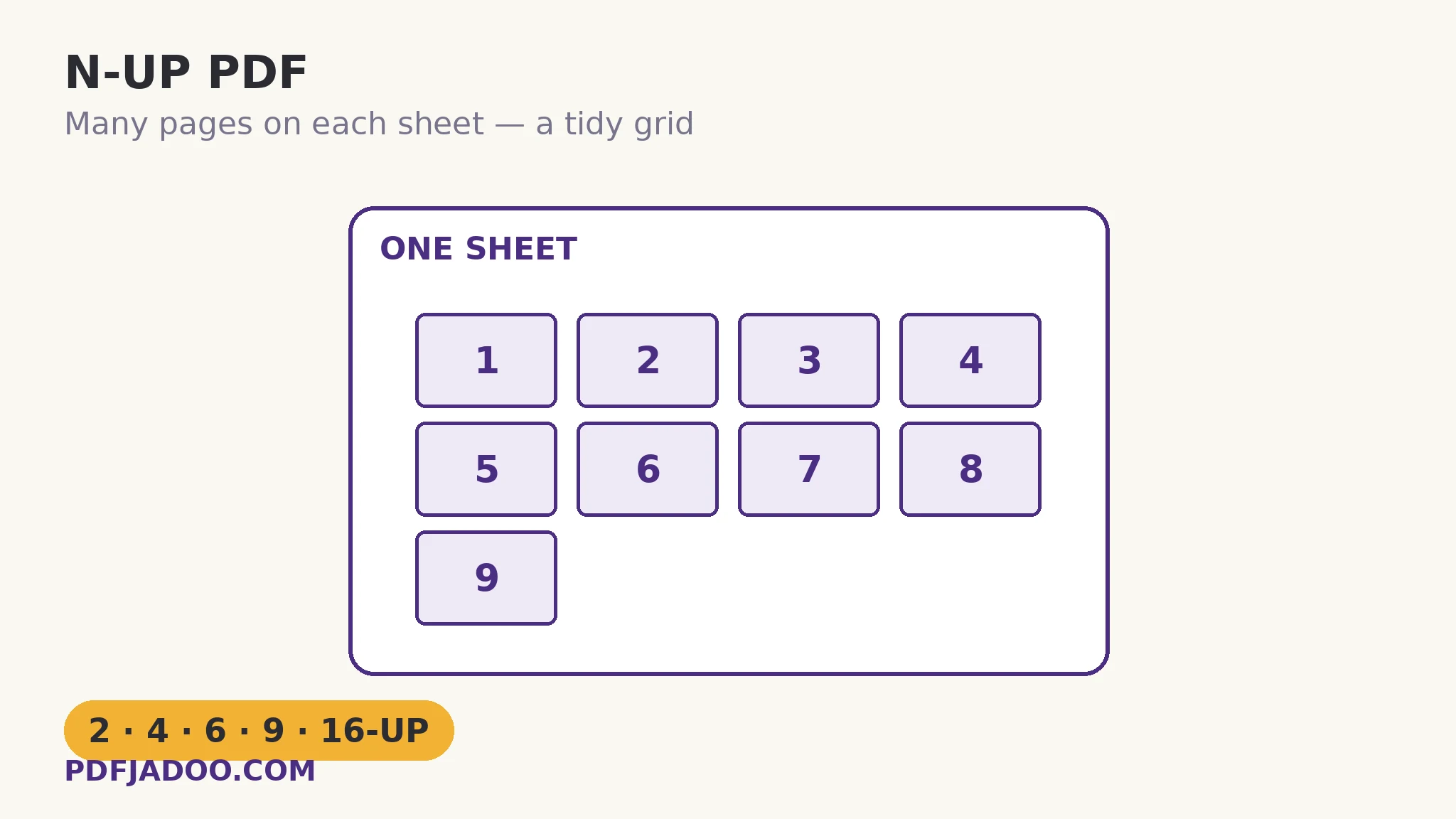
The grid keeps reading order — that is its whole identity
An n-up sheet reads like a comic page: cell 1 top-left, across, then down. Page order in the file becomes cell order on the sheet, unshuffled. This is what separates n-up from its cousin the booklet, whose entire purpose is a shuffled order that reads correctly only after folding. N-up never folds; it surveys. Its genres follow: the handout (the audience surveys the talk while listening), the review draft (an editor surveys a document's shape — its rhythm of text, figures and whitespace — at a glance no full-size flip-through gives), and the reading copy (a long document at 2-up, readable and half the paper).
The scaling is fit-based, per cell: each page is scaled to fit its cell completely — never cropped — keeping its proportions, with the cell's slack as margin. A page of mostly text at 4-up on A4 remains legible; at 16-up, text pages become texture (which is fine for shape-review, useless for reading) while slide pages — big type, one idea each — survive surprisingly deep into the counts. The counts are therefore content decisions: 2-up for reading, 4-up for documents, 6-up for slides (the classic handout), 9 and 16-up for surveys and contact-sheet purposes.
Orientation and borders: the two small choices
Orientation matches the sheet to the pages' shape: landscape pages (slides) grid naturally on landscape sheets — 6-up landscape is the handout archetype — while portrait documents take portrait sheets, or landscape sheets when the grid divides better (2-up portrait pages side by side make a landscape sheet). The rule is to let the cells resemble the pages: the less letterboxing inside each cell, the larger every page prints. Borders draw a light rule around each page — worth it when pages are marginless or white-heavy (slides, forms), so the eye can separate neighbours; unnecessary when pages carry their own strong edges.
Make an N-up PDF, step by step
Step 1 — name the genre. Handout, review draft or reading copy — the genre picks the count before the tool opens.
Step 2 — drop the PDF onto N-Up PDF. Nothing uploads.
Step 3 — choose pages per sheet and orientation. 6-up landscape for slides; 2-up for a reading copy; 4-up portrait for a document draft. Borders on for marginless pages.
Step 4 — press Lay out the sheets and download. Print double-sided to halve the paper again — the grid and the duplex compound.
N-up the file, or n-up at the printer?
Printer dialogs offer “multiple pages per sheet” too — for your own printout, that is the lighter touch. Building the n-up file earns its place when the grid must travel: the handout sent to forty trainees prints identically on forty unknown printers; the review draft circulates as a file, not a print job. File for distribution, dialog for home — the same rule as resizing, and for the same reason.
Lay out the sheets like a print shop.
2, 4, 6, 9 or 16 pages per sheet — scaled to fit, never cropped, borders if you want them.
Open N-Up PDFA worked example: the lecture handout
A lecturer's 36 slides become the course handout at 6-up, landscape, borders on (the slides are white and airy; without rules they would blur into one another). Printed double-sided, the deck is 3 sheets per student instead of 36 — a tray of paper for a class of forty instead of a ream and a half — and students annotate against the talk with the whole arc visible on one spread. Two slides carry dense tables; at 6-up they are small, and the lecturer's fix is genre-aware: those two pages are also issued full-size in the pack's appendix. The grid serves the survey; the exceptions serve the detail. That pairing is n-up used as its designers intended.
Edge cases
“The text is tiny.” At high counts it is meant to be — survey, not reading. Drop the count, or accept texture where shape is the information.
Mixed-orientation documents. Cells fit each page individually, so a landscape page in a portrait grid prints small. For mixed decks, the booklet-or-nothing rule applies: separate the orientations, or let the majority rule.
Booklet envy. If the sheets will be folded and stapled into a book, the grid order is wrong for it — that is imposition of the other kind, and Booklet PDF is the tool.
Before you finish: the 60-second check
- The genre was named first — handout, review draft, reading copy — and picked the count
- Sheet orientation lets the cells resemble the pages
- Borders chosen for marginless or white-heavy pages
- Dense detail pages were issued full-size alongside, where the audience needs them
- Distribution copies were built as files; home printouts left to the printer dialog
Fair questions
How do I put multiple PDF pages on one sheet for free?
Drop the PDF onto N-Up PDF, choose 2, 4, 6, 9 or 16 pages per sheet, pick landscape or portrait, optionally add borders, and press Lay out the sheets. Pages are scaled to fit their cells and never cropped.
What n-up count should I choose?
2-up for reading copies, 4-up for document drafts, 6-up for slide handouts (the classic), and 9 or 16-up for surveys and overviews where shape matters more than legible text.
What is the difference between n-up and a booklet?
Order. N-up keeps reading order in a grid on each sheet — it is for surveying. A booklet shuffles pages into imposition order so the folded, stapled stack reads in sequence. Use Booklet PDF for anything that will be folded.
Are pages cropped to fit their cells?
No — each page is scaled to fit its cell completely, proportions preserved, with any slack as margin. Nothing is ever cut off.
Should I add borders around each page?
Yes when pages are marginless or white-heavy — slides and forms — so neighbouring pages stay visually distinct. Pages with strong edges of their own do not need them.
Is my PDF uploaded?
No — the layout happens in your browser; the file never leaves your device.
Tool behaviour — the 2/4/6/9/16 counts, orientation choice, fit-without-cropping scaling and optional per-page borders — is from PDFJadoo's own N-Up PDF page. Checked 18 November 2026.
Keep reading
Make a booklet PDF
The shuffled cousin: imposition for folding, explained with the 8-page map.
PowerPoint to PDF, slide by slide
The deck becomes a document — then the handout grid is one step away.
Resize PDF pages to A4
Uniform sheets first make every later layout behave.
Convert a PDF to grayscale
The handout, at mono print prices: grid plus greyscale compounds the saving.